

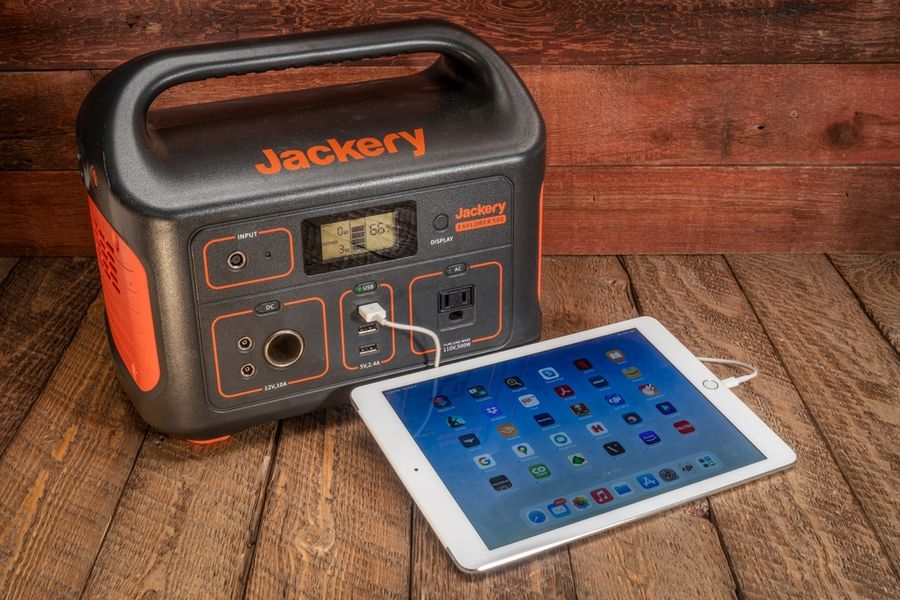
A short power outage can interrupt communication, food storage, lighting, and work long before it becomes a major emergency. Portable power stations supply selected devices from stored battery energy through household outlets and USB ports. They are not automatic replacements for whole-home backup, however. Choosing one requires a realistic list of devices, an understanding of capacity and output, and a plan for recharging, storage, and safe operation.
Start With the Devices That Matter Most
List everything that depends on electricity, then separate essential loads from conveniences. Phones, internet equipment, lamps, a laptop, a fan, or selected medical equipment may take priority over televisions and small kitchen appliances. An outage plan should include an inventory of electricity-dependent items and alternative power sources before an emergency occurs.
Record the wattage shown on each device or adapter, estimate how long it must run, and decide which items can operate one at a time. This prevents buying a station based only on a large-looking number and reduces the chance of draining it on low-priority equipment.
Compare Capacity With Output
Battery capacity, expressed in watt-hours, indicates how much stored energy is available. AC output, measured in watts, indicates how much power the station can deliver at once. A model can have useful capacity but still be unable to run an appliance whose demand exceeds its output limit.
Do not assume every rated watt-hour will be available at the outlets. Think in priorities: communication first, refrigeration when necessary, and optional appliances later. Leaving a reserve helps prevent the battery from reaching empty before utility power returns.
EcoFlow DELTA 2 Balances Capacity and Ports
The EcoFlow DELTA 2 has a 1,024-watt-hour battery, six AC outlets with 1,800 watts of total output, two 100-watt USB-C ports, and Wi-Fi and Bluetooth connectivity. It weighs 27 pounds.
That combination suits households that want to connect several modest loads without moving to a much larger system. Its app can display charging information and adjust settings, while the expandable design leaves room for longer backup later. Keeping it in a consistent, accessible location will make outage setup faster.
Jackery Explorer 1000 v2 Reduces Carrying Weight
The Jackery Explorer 1000 v2 provides 1,070 watt-hours of capacity, 1,500 watts of rated AC output, three AC outlets, two USB-C ports, one USB-A port, and a 12-volt car port. It weighs about 23.8 pounds, and its listed wall-charging time is 1.58 hours.
Its lower weight matters when the station must be retrieved from a closet, carried upstairs, or moved between rooms. The 1,500-watt output remains substantial, but every intended appliance should still be checked against that limit before an outage.
BLUETTI AC180 Adds Output Headroom
The BLUETTI AC180 combines a 1,152-watt-hour battery with 1,800 watts of AC output and 11 total output ports. It supports wall, solar, vehicle, and generator charging, and its high-speed AC input can recharge the battery from zero to 80 percent in 45 minutes under the listed conditions.
This model may suit a household that expects to rotate among several devices or wants more connection options. At 35.3 pounds, it is less convenient to move frequently. Fast charging is most useful before an outage or during a brief restoration window; it does not replace careful energy use once the grid is down.
Plan for Safe Charging and Storage
Charge the station before severe weather arrives and keep its cables together. Store and charge lithium-ion equipment in a cool, dry place, follow the manufacturer’s charging instructions, and inspect the housing for cracking, bulging, or leaking. A device that becomes unusually hot while charging should be unplugged.
Keep the station away from standing water, blocked exits, heaters, and direct sunlight. Do not improvise connections to household wiring. Plug approved devices directly into the station unless compatible transfer equipment has been properly installed.
Test the Plan Before an Outage
Run a short practice session while utility power is available. Connect the planned essentials, watch the displayed load, and note how quickly the battery percentage falls. Label cords, confirm that everyone knows where the unit is stored, and recharge it after testing.
A practice run may show that certain appliances should be used in shifts. It can also reveal whether cord placement creates trip hazards, whether fan noise affects sleep, or whether equipment draws more power than anticipated.
Backup Power Works Best With Priorities
Portable power stations are most useful during short outages when the household knows exactly what must stay powered. The DELTA 2 offers expansion and numerous ports, the Explorer 1000 v2 keeps similar capacity in a lighter package, and the AC180 provides more output connections and rapid charging.
Match capacity to expected runtime, output to the largest connected load, and weight to the storage location. A tested, fully charged station with a realistic device list can provide more practical resilience than an oversized battery that remains unprepared.